I have a confession: I sometimes open Instagram after a few weeks away and immediately wonder where half the buttons went.
One update changes something in Reels, another adds a new sharing option, and suddenly a feature you used every day seems to have moved somewhere else. If you’ve had that experience, you’re definitely not alone.
That’s why I decided to put together this guide on How to Use Instagram’s Latest Features in 2026. Instead of just listing new features, I’ll explain what they actually do and how you can use them without spending half an hour searching through settings.
Some of Instagram’s newer features are genuinely useful. Others are easy to miss unless you know where to look.
And one thing to remember: Instagram does not always release every feature to every account at the same time. Some features can also vary by country, age, device, or account. The official Google Play listing itself notes that some Instagram features may not be available in every region. 1
What Are the Latest Instagram Features in 2026?
Instagram has been moving beyond the old idea of simply posting photos and watching Stories. Recent updates have focused heavily on sharing, Reels, friends, location-based discovery, quick photo sharing, and safer experiences for younger users.
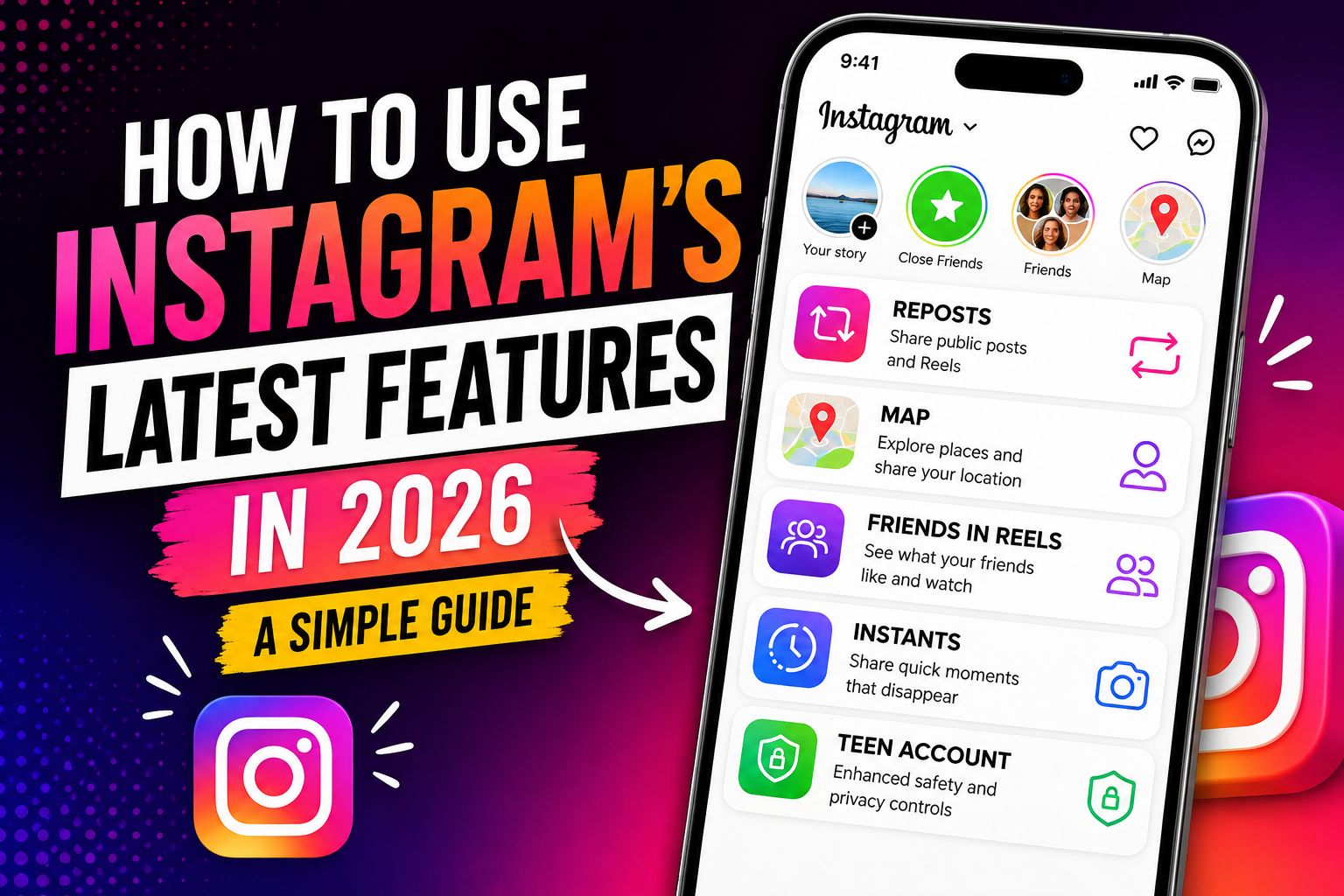
Some of the features worth knowing about in 2026 include:
- Instagram Reposts for public posts and Reels
- Instagram Map and location-based content
- The Friends tab inside Reels
- Instants for quick, in-the-moment photos
- Updated Teen Account content controls
- More ways to personalize and interact with Reels and other content
Let’s look at each one in a practical way.
1. How to Use Instagram Reposts in 2026
This is probably one of the easiest new features to understand once you actually see it.
Instagram introduced Reposts so users can share public Reels and feed posts with their followers and friends. Reposted content is credited to the original creator, and reposts can also appear in a separate area of your profile. 2
How to Repost an Instagram Reel or Post
- Open Instagram on your phone.
- Find a public Reel or feed post you want to share.
- Tap the Repost icon.
- If available, add a short note to explain why you’re sharing it.
- Confirm the repost.
The nice part is that you don’t need to download someone else’s video and upload it again. The original creator remains credited.
For creators, this can also be useful because a repost may help their content reach people who don’t already follow them. Meta says reposts can be recommended to the reposter’s followers. 3
When Should You Use Reposts?
I’d use Reposts for things you genuinely want your followers to see — a useful tutorial, funny Reel, interesting announcement, or something related to your niche.
There’s no real benefit in reposting everything you see. Your profile can become noisy very quickly.
2. How to Use Instagram Map in 2026
Instagram’s Map is one of those features that sounds more complicated than it really is.
It allows you to explore location-based content and, if you choose to enable it, share your recent location with selected people. Meta says location sharing is off unless you opt in, and users can choose who can see their location. 4
How to Open Instagram Map
- Open Instagram.
- Go to your Direct Messages.
- Look for the Map option near the top of the inbox.
- Open it to explore available location-based content.
Depending on your account and region, the exact placement can differ.
How Does Instagram Location Sharing Work?
If you decide to use location sharing, Instagram gives you control over who receives that information. According to Meta, you can share with friends, Close Friends, selected friends, or nobody. You can also turn location sharing off later. 5
Personally, this is a feature I’d treat carefully. There’s a big difference between tagging a restaurant in a post and continuously sharing your location.
If you don’t actually need location sharing, there’s no reason to turn it on just because the option exists.
3. How to Use the Friends Tab in Instagram Reels
Here’s another feature that’s easy to overlook.
Instagram has introduced a Friends tab inside Reels where you can discover public content your friends have interacted with, including content they’ve liked, commented on, created, or reposted. Meta says the feature has been rolled out globally, along with controls for managing what appears there. 6
How to Find the Friends Tab
- Open Instagram.
- Tap the Reels section.
- Look at the top of the Reels screen.
- If the feature is available on your account, you’ll see a Friends tab.
- Tap it to explore content your friends have interacted with.
If you don’t see the Friends tab, don’t assume something is wrong with your phone. Instagram features can roll out gradually and availability can differ between accounts.
Can You Control What Friends See?
Instagram has also introduced controls around the Friends experience. Meta says users can hide their own likes and comments on Reels and mute activity bubbles from specific people they follow. 7
That’s useful if you like the idea of the feature but don’t want every interaction you make to become part of the social feed.
4. How to Use Instagram Instants in 2026
This one feels quite different from the usual Instagram experience.
Instants are designed for quick, real-time photo sharing with Close Friends or mutual followers. The idea is to capture what’s happening right now instead of carefully editing a photo and turning it into a polished post.
Meta introduced Instants in May 2026. Photos shared through Instants disappear after being viewed and cannot be viewed after 24 hours. The feature is available through Instagram and also through a standalone Instants app in select countries. 8
How Instants Work
- Open the Instants camera through the available Instagram interface or Instants app.
- Take a photo in real time.
- Add a caption if you want.
- Choose who should receive it.
- Send the Instant.
One interesting limitation is that Instants are meant to be spontaneous. Meta says you cannot upload an old photo from your gallery or make normal edits before sharing. 9
Honestly, I think that’s part of the appeal. It removes some of the pressure to make everything look perfect.
Can You Save Instants?
Your shared Instants can be stored in a private archive for a limited period, and Meta says users can create a recap from archived Instants for Stories. 10
5. Instagram Teen Account and 13+ Content Settings
If you manage an Instagram account for a teenager, this is one update you should not simply ignore.
Instagram has expanded its Teen Account protections and 13+ content settings globally. Meta says teens are placed into age-appropriate settings by default, while parents can choose a stricter Limited Content setting. 11
The stricter setting can limit certain interactions and content, giving parents more control over what a teen sees.
Why These Settings Matter
Instagram is a huge platform with an enormous amount of user-generated content. Giving younger users more restrictive defaults can make the experience easier for parents to manage.
Meta has also continued adding age-assurance and other safety measures for teen accounts in 2026. 12
If you have a supervised teen account, it’s worth checking the current settings rather than assuming the defaults have stayed the same since you first created the account.
6. How to Get Instagram’s Latest Features
One question I see quite often is: “Why does my friend have this Instagram feature but I don’t?”
There isn’t always a simple answer.
Instagram frequently rolls features out gradually. Your account may receive an update later than someone else’s, and some features depend on country or device.
Still, there are a few sensible things you can try.
Update Instagram from Google Play
On Android, open the Google Play Store and search for Instagram. Check whether an Update button is available.
You can also use the official listing here:
Download or update Instagram from Google Play
The official Google Play listing identifies Instagram as an app from Meta and notes that some features may not be available in every country or region. 13
Restart the App
This sounds almost too simple, but it has fixed plenty of weird app behavior for me.
Close Instagram completely, open it again, and check whether the feature appears.
Clear Instagram Cache on Android
If Instagram is behaving strangely, clearing its cache can sometimes help.
- Open your Android phone’s Settings.
- Go to Apps.
- Select Instagram.
- Open Storage or Storage & cache.
- Tap Clear cache.
Be careful not to tap Clear storage/data unless you understand what it will do, because that can remove locally stored app information and may require you to sign in again.
7. A Few Instagram Features You Should Still Know
Not every useful feature is brand new. Some older Instagram tools are still worth using, especially if you are trying to get more organized.
Close Friends
Close Friends lets you share certain Stories with a smaller group rather than your entire audience.
It’s handy for personal updates, family posts, or anything you don’t want to put in front of every follower.
Notes
Instagram Notes are short updates that appear in the messaging area and disappear after a limited period.
They’re useful for quick thoughts, status updates, or starting a conversation without making a full Story.
Reels
Reels remain one of Instagram’s main ways of discovering short-form video. The official Android listing highlights Reels, Stories, Notes, Explore, templates, music, stickers, and filters among Instagram’s current features. 14
8. Common Mistakes People Make With Instagram Features
After using Instagram for a while, you start noticing the same mistakes again and again.
Turning on Every New Feature
You don’t have to enable everything.
If a feature involves location sharing, contacts, notifications, or additional visibility, first ask yourself whether you actually need it.
Assuming Everyone Has the Same Features
This is probably the biggest source of confusion.
Your friend may have a button that isn’t visible on your account yet. That doesn’t automatically mean your app is broken.
Downloading Random APKs to Get Features Early
This is something I’d avoid.
If Instagram is already available through Google Play, there is usually little reason to install an unofficial modified version simply because you haven’t received a particular feature.
Besides security concerns, modified apps can behave differently from the official application and may create account or compatibility problems.
Ignoring Privacy Settings
New features can sometimes introduce new ways of sharing content or information.
Before using location-related features, review who can see your information. The same goes for activity visibility, mentions, messages, and account privacy.
9. Practical Tips for Using Instagram Better in 2026
Here are a few things that have made Instagram less frustrating for me:
- Keep the app updated: Many bugs and compatibility problems are fixed through updates.
- Don’t enable features blindly: Especially anything related to location or sharing.
- Use Close Friends: It’s better than making your entire account private just because some posts are personal.
- Clean up your notifications: You don’t need an alert for every little interaction.
- Check your privacy settings occasionally: Instagram changes over time, so settings you chose months ago are worth revisiting.
- Use Reposts selectively: Share things that genuinely interest your followers rather than filling your profile with random content.
- Don’t panic when a feature disappears: Updates and tests can change how features appear.
10. Related Instagram Guides on BrandAPK4
If you’re using Instagram regularly, you may also find these guides useful:
Frequently Asked Questions About Instagram’s Latest Features in 2026
What is the newest Instagram feature in 2026?
Instagram introduced several new features and updates in 2026. One notable addition is Instants, which is designed for quick, real-time photo sharing. Instagram has also continued expanding features such as Reposts, Map, Friends in Reels, and Teen Account controls. 15
Why can’t I see Instagram’s new features?
Instagram features can be rolled out gradually and may vary by country, account, age, and device. Make sure your app is updated, then give Instagram some time if a feature still isn’t available.
How do I repost on Instagram in 2026?
Open a public Reel or feed post, tap the Repost option if it is available on your account, optionally add a note, and confirm. Reposts are credited to the original creator. 16
Is Instagram Map safe to use?
Instagram Map includes optional location sharing. Meta says location sharing is off unless you choose to enable it, and you can select who you share your location with or turn the feature off. If you don’t need location sharing, leaving it disabled is a reasonable choice. 17
What are Instagram Instants?
Instants are designed for quick, real-time photo sharing with Close Friends or mutual followers. Shared photos disappear after being viewed and cannot be viewed after 24 hours. Availability of the standalone Instants app is limited to select countries. 18
How can I get Instagram’s latest update on Android?
Open Google Play Store, search for Instagram, and tap Update if an update is available. You can also open the official Instagram listing directly through Google Play.
Are all Instagram features available everywhere?
No. Instagram states that some features may not be available in every country or region. Availability can also vary by account and rollout stage. 19
Final Thoughts
Instagram in 2026 is a little different from the Instagram many of us started using years ago. There are more ways to share, more things happening inside Reels, and more controls around privacy and younger users.
The good news is that you don’t need to learn every feature at once.
Start with the ones you’ll actually use. Try Reposts if you regularly share interesting content. Check out the Friends tab if you want to see what people you know are enjoying. If Map is available to you, review the location settings before turning sharing on. And if Instants has reached your region, give it a try if you like the idea of quick, unpolished photo sharing.
Most importantly, keep Instagram updated through the official app store and don’t install random versions just to get a feature a few days early.
Instagram will probably change again soon. It always does. When that happens, the easiest approach is to learn one useful feature at a time instead of trying to keep up with every button.
That’s usually enough.